Turn Your Story Ideas Into Art: Using AI Image Tools for English Class
A guide on how students can use AI image generators to create visual representations of characters, settings, and scenes from books they're studying — making it easier to connect with the material.
Turn Your Story Ideas Into Art: Using AI Image Tools for English Class
AI image generators are not just for artists and designers — they can be a powerful learning tool for students in English class. Instead of imagining what a character, setting, or scene looks like, you can now prompt an AI to bring it to life visually. This helps you connect more deeply with the texts you study and makes literary analysis far more engaging.
In this post, I’ll walk through a real example of how I used two different AI image tools to generate scenes from a famous real-world story: the monkey selfie taken by Naruto the macaque and photographer David Slater in the Indonesian jungle.
The Monkey Selfie: Background
In 2011, British wildlife photographer David Slater travelled to Indonesia to photograph Celebes crested macaques. A macaque later known as Naruto discovered Slater’s camera and, while Slater had set up the scene, ended up pressing the shutter himself — producing one of the most famous wildlife photographs in history.
This story is a great subject to practice AI image generation with because it involves specific characters, a recognisable setting, and a memorable moment.
Experiment 1: Bing AI — David Slater Photographing Naruto
My prompt:
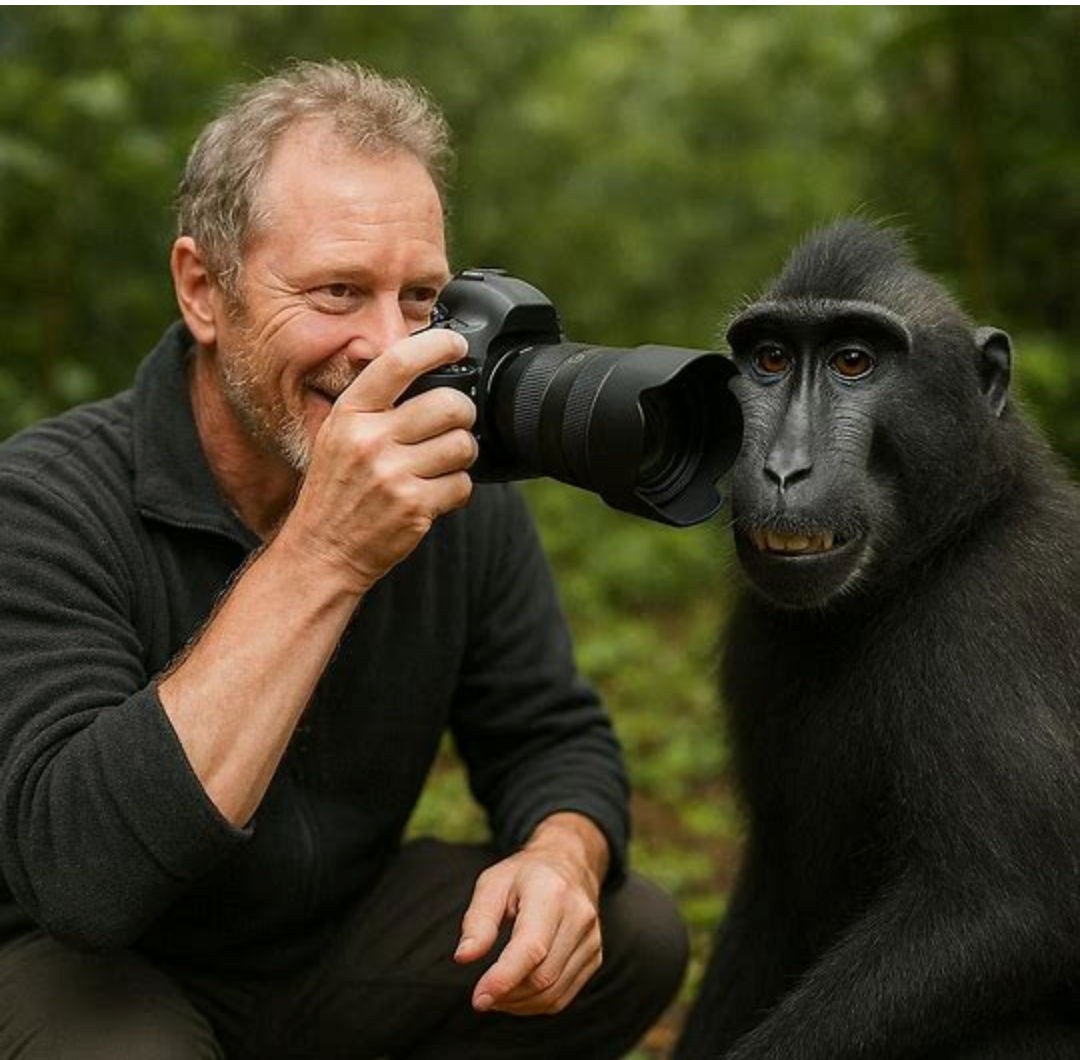
Create a virtual image of how the photographer David Slater is taking a picture with his camera of the monkey, called Naruto, who is on the right side of the image.
My feedback: It generated one image and it was successful. The composition matched my description — the photographer is visible with his camera, and the monkey is positioned on the right side of the frame. However, Bing AI would not let me generate additional variations of the image, which was a limitation.
Experiment 2: Oreate AI — David Slater Setting Up the Scene
Next, I switched to Oreate AI and asked it to recreate a different moment from the story.
My prompt:
Generate an image of how David Slater the photographer is setting up the background for Naruto’s selfie — the first monkey selfie — in the Indonesian forest.
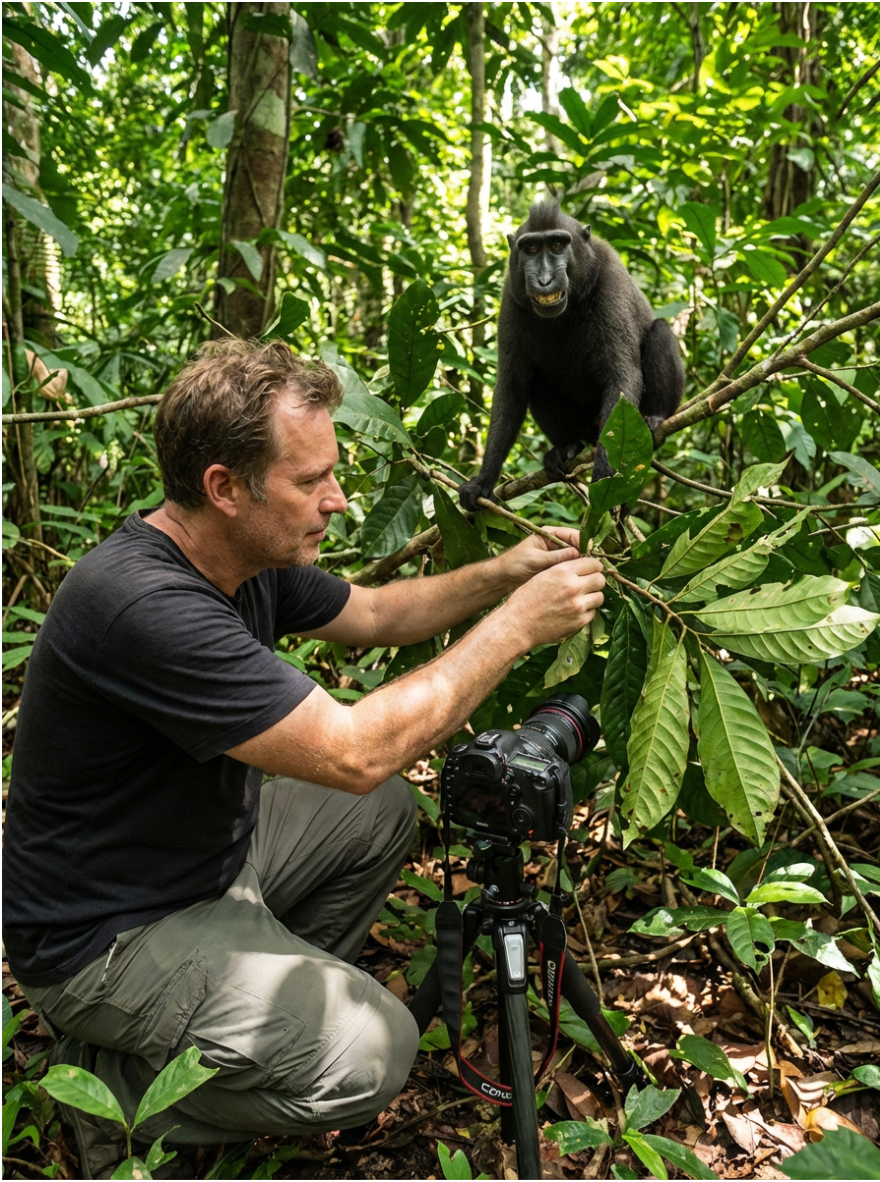
My analysis: The result was noticeably stronger. The monkey looked much more realistic, and the depiction of David Slater was sensible and believable. The green jungle background was genuine-looking scenery with good depth and lighting — clearly an Indonesian forest environment.
However, there was one issue: the camera was placed too close to both the photographer’s head and the monkey, making the spatial positioning feel a little off. Despite this, it was a strong second attempt and a much more detailed composition than the first.
Experiment 3: Oreate AI — Naruto Taking His Selfie
For the third image, I asked Oreate AI to generate the iconic moment itself.
My prompt:
Generate an image of how the monkey Naruto is taking his selfie.
.png)
My criticism: The monkey was not positioned correctly for a selfie. Naruto was holding the camera the way a photographer would hold it — pointing the lens outward at a subject. For an authentic selfie, the camera should be positioned in front of Naruto’s face, with the lens facing towards him. This is an important distinction that shows how AI tools can misinterpret the nuance of a prompt.
If you’re using AI image generation in class, this is actually a great teaching moment: the more precise your prompt, the better your result. I could have written: “a monkey holding a camera with the lens pointing at his own face, taking a selfie” — and that likely would have produced a more accurate result.
Fun Fact
The original monkey selfie taken by Naruto sparked one of the most unusual copyright cases in legal history. In 2015, PETA (People for the Ethical Treatment of Animals) filed a lawsuit arguing that Naruto — as the one who pressed the shutter — should own the copyright to the photograph. The case, Naruto v. Slater, went to the US Court of Appeals for the Ninth Circuit, which ruled in 2018 that animals cannot hold copyright under US law. David Slater still cannot copyright the image either, since the camera was operated by a non-human, which means the photo is considered part of the public domain in the United States.
Tips for Using AI Image Generation in English Class
- Be specific with your prompts. Include details about character appearance, setting, lighting, and mood.
- Try multiple tools. As shown above, different AI generators produce very different results from the same prompt.
- Critique the output. Analysing where the AI got it right or wrong helps you think more critically about the text — and about how visual meaning is constructed.
- Iterate. If the first image isn’t right, refine the prompt and try again. This mirrors the revision process in writing.
AI image tools turn passive reading into an active, creative exercise — and they make your English class come alive in a whole new way.
Tags
Related Articles
How to Install Stable Diffusion Locally: Complete Setup Guide for 2026
Step-by-step guide to installing Stable Diffusion on your computer. Learn system requirements, installation methods, troubleshooting tips, and optimization techniques for the best AI image generation experience.
Midjourney Prompting Guide 2026: Master AI Image Generation in 10 Minutes
Learn how to write perfect Midjourney prompts with this comprehensive guide. Discover advanced techniques, parameters, and examples to create stunning AI-generated images. Includes prompt templates and style references.